Introduction
In today's ecommerce landscape, static presentation is no longer enough.
Video has become a strategic necessity to maximize your conversion rate. A visitor is 64% to 85% more likely to purchase after watching a video.
The question is no longer if to use video, but where to place it for real impact. A poorly positioned video can slow down your site or distract the user, while an optimized placement guides the purchase journey and builds trust. Whether it's to demonstrate a feature, provide reassurance, or create an emotional connection, each placement serves a specific purpose. This article details where to integrate your videos to transform your store into a selling machine.
Integrate on your product pages
The product page is the tipping point for purchase decisions. This is where video integration offers the most immediate return on investment (ROI).
Show your products in their best light
The main objective of a video on a product page is to remove doubts and purchase barriers. Video replaces what the customer cannot experience online: touching, trying, handling the product. It clearly shows how to use the item, presents its features, and provides reassurance with reviews or 'before/after' demonstrations.
A well-made video is more impactful than a long explanatory text.
Nearly 73% of consumers prefer watching a video rather than reading a product description, and many say it strongly influences their purchase decision. Video also answers frequently asked questions (FAQ) and highlights customer feedback through visual testimonials.
To be effective, ensure the video is short (15 to 60 seconds), clear, and focused on concrete usage.

Different formats
There's no single format, but rather a typology of videos adapted to the product's nature and the buyer's intent. Choosing the right format is essential to convey the right information at the right time.
Here's a technical comparison of the most effective formats for product pages:
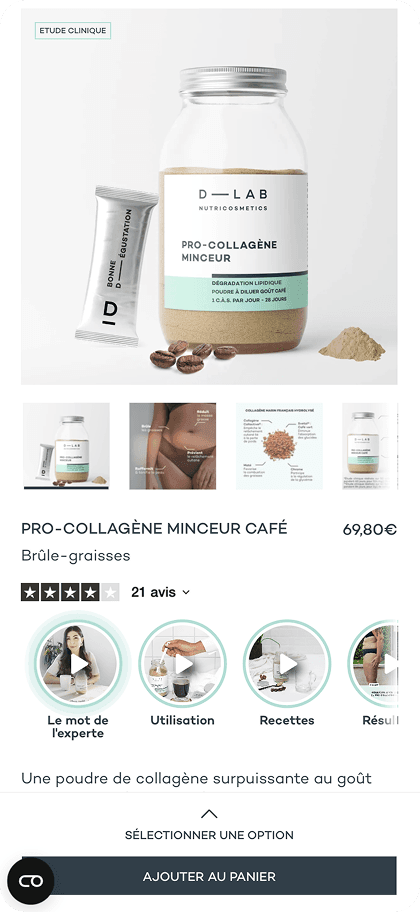
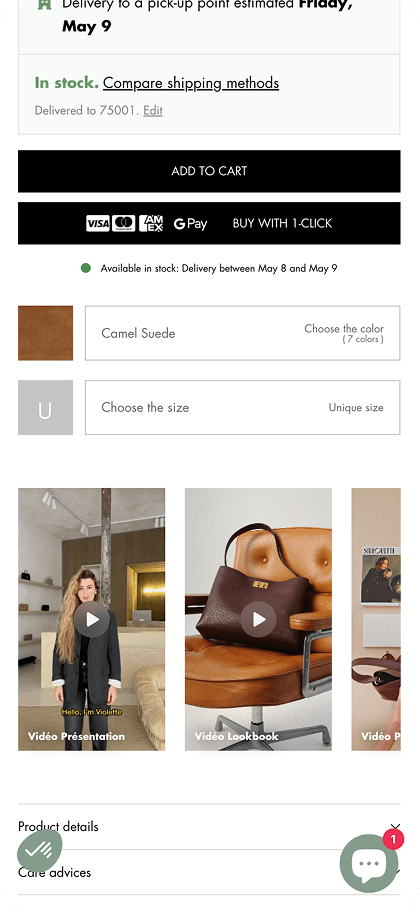
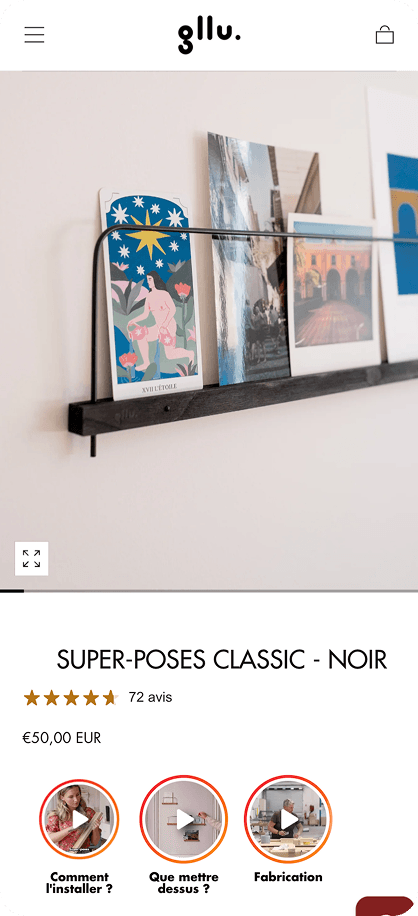
Video above the fold
"Above the fold" refers to the part of the page visible without scrolling. Placing a video in this area is a winning strategy to capture immediate attention.
Technically, the ideal integration is below the video title and above the add to cart button.
Why? Because video is an excellent way to convince the visitor to buy by offering a clear and immersive product demonstration.
By placing the video at this strategic location, you capture attention at the key decision moment, just before the purchase act. This helps remove final barriers and significantly increase conversion rate.
Moreover, this position ensures perfect video visibility without disrupting navigation, while staying close to the essential call-to-action: the add to cart button. This way, the customer has a smooth experience, their purchase journey is naturally guided, and chances of completing the sale are maximized.
Studies also show that adding a video at this location can increase conversion rate up to 80%, proving the direct impact on your sales.

Integrate videos on your homepage
The homepage is your store's showcase. It must captivate in less than 3 seconds.
Video use here doesn't aim for direct conversion, but retention and orientation toward product categories.
Video carousel integration
The static image carousel (slider) is an aging practice with click-through rates often below 1%.
Replacing or enriching it with a video carousel instantly energizes the brand image. This format allows storytelling or presenting a new collection in an immersive way.
Here are examples of video integration:
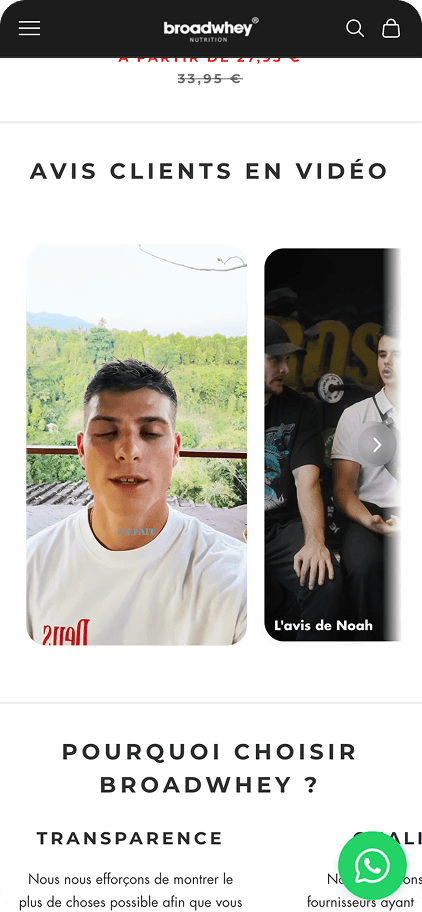
- Best-sellers
Highlight the most popular products, integrate a quick video presenting your best-sellers in action or in usage situations. This captures attention on your flagship items and encourages purchases.
- Customer reviews
Offer videos of satisfied customers giving their opinion or showing their experience with the product. This builds trust and reduces doubts.
- New arrivals
Display videos presenting novelties, new arrivals or exclusives. This format creates desire for discovery and stimulates visitor curiosity.

Interactive pop-up integration
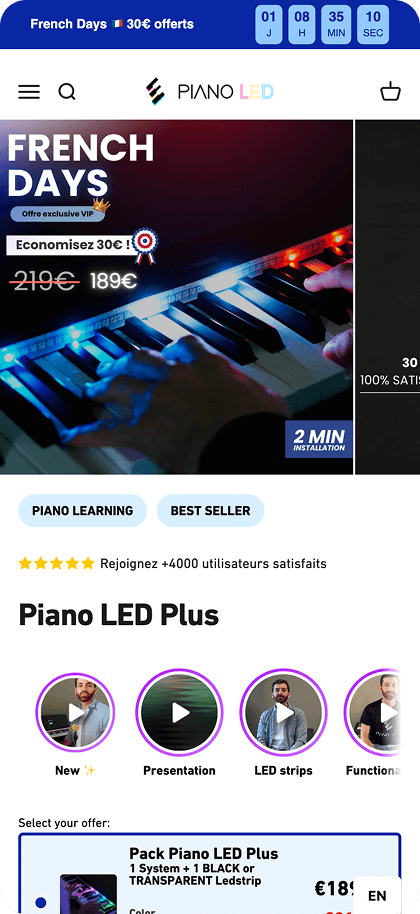
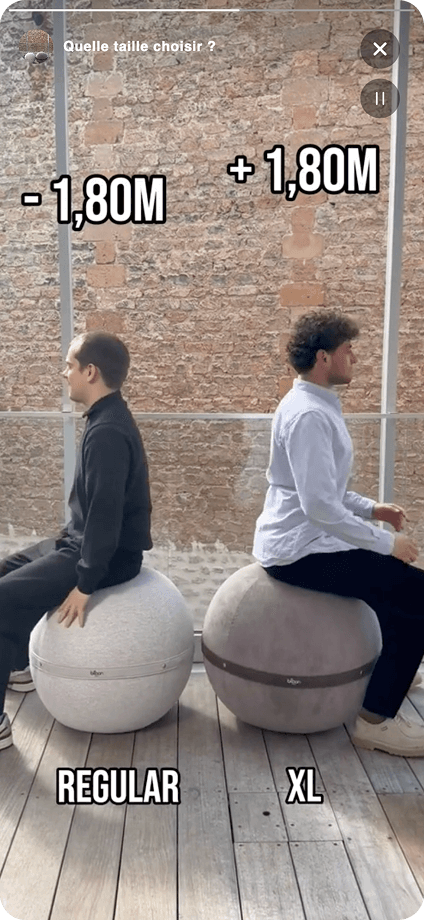
Far from intrusive windows, modern video pop-ups, often presented as "bubbles" or "stories" similar to social media, offer new interactivity.
This format is particularly effective on mobile.
These modules allow highlighting a flash promotion, customer testimonial, or unboxing right upon site arrival.
The major advantage lies in interactivity: PlayShorts allows for example to integrate links directly in the video.

Integrate videos in your blog articles
The blog is often underestimated as a conversion lever, yet it attracts qualified traffic in the information-seeking phase.
Integrating videos in your blog articles serves two major objectives: enrich your informative content for users and improve your SEO for Google.
A page containing a video has 53 times more chances to appear on the first page of search results.
Additionally, videos allow highlighting products mentioned in your articles. You can also integrate call-to-action (CTA) buttons to redirect visitors directly to your product pages, transforming your blog into a concrete revenue lever.
Bonus: omnichannel journey
Video strategy shouldn't stop at your website's borders. It should flow through all customer touchpoints.
In your emails
Email marketing remains one of the most profitable channels, but inboxes are saturated.
Integrating video in your campaigns can increase click-through rate (CTR) by 200% to 300%.
Most email clients (Outlook, Gmail) don't support direct video playback (embedded). The technical solution consists of using an animated GIF of a few seconds or a static image with a visible "Play" button, which redirects to a landing page where the video launches automatically.
PlayShorts offers "Email Stories" features that create this smooth experience, encouraging users to click to discover the complete content, whether it's a product launch or private sale.

Generate video QR codes
The bridge between physical and digital (phygital) is a powerful lever for reassurance and loyalty. Using QR codes linking to explanatory videos is a concrete application of this strategy.
Usage example: A furniture brand can print a QR code directly on assembly instructions or packaging. By scanning this code, the customer instantly accesses a step-by-step tutorial video, reducing frustration and after-sales service (SAV) calls.
Similarly, in a cosmetic product package, a QR code can link to application tips video ("Morning Routine"), increasing product perceived value and post-purchase customer engagement.
Conclusion
Integrating video into your ecommerce strategy is no longer an option, it's an imperative to meet modern consumer expectations and stand out from competition. From product pages to homepage, through email campaigns, each placement offers a unique opportunity to reassure, engage, and convert.
Video becomes your competitive advantage in ecommerce, transforming a simple visit into an immersive and convincing experience.
Technical complexity (hosting, file size, mobile compatibility) still holds back many merchants.
This is where specialized solutions make perfect sense. PlayShorts positions itself as an accessible solution to effectively integrate videos on all ecommerce sites, without requiring programming skills. By centralizing your video content management and ensuring optimal distribution, you can focus on what really matters: selling your products.
FAQ
How can I integrate a video on my website?
You can integrate a video either by hosting the file directly on your server (not recommended for performance), or by using an embed code (iframe) from platforms like YouTube, or better yet, through specialized solutions like PlayShorts that offer widgets optimized for ecommerce without slowing down your site.
Is it possible to publish videos on a website?
Yes, it's entirely possible and recommended to publish videos on a website. Modern CMS platforms (Shopify, PrestaShop, WordPress) facilitate adding video blocks, but using dedicated tools allows adding interactive features (purchase buttons, links) impossible with a standard player.
Where to publish videos?
Strategic locations include product pages above the fold (for conversion), homepage (for brand image and retention), blog articles (for SEO and education).
Read more
On your product pages, the ecommerce story format performs best. On your homepage, go for a video carousel that showcases your best-sellers. And for pop-ups, discover our effective video popup ideas.
To fill these different placements, leverage the 6 best-performing UGC video formats. And if you're on Shopify, check our best video tools comparison.