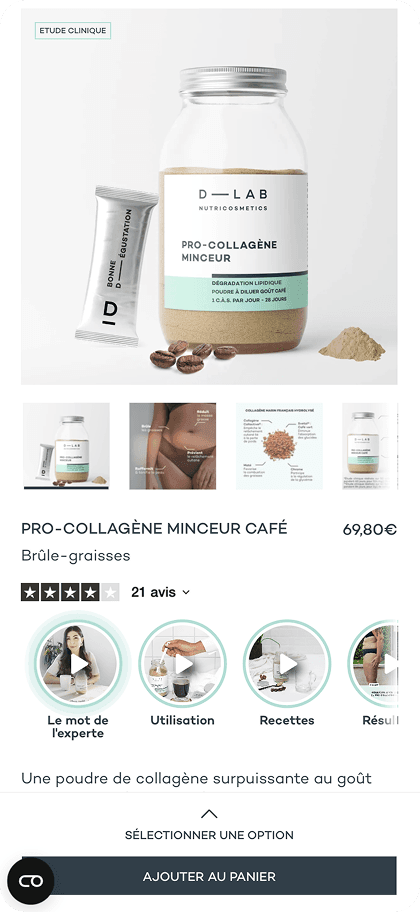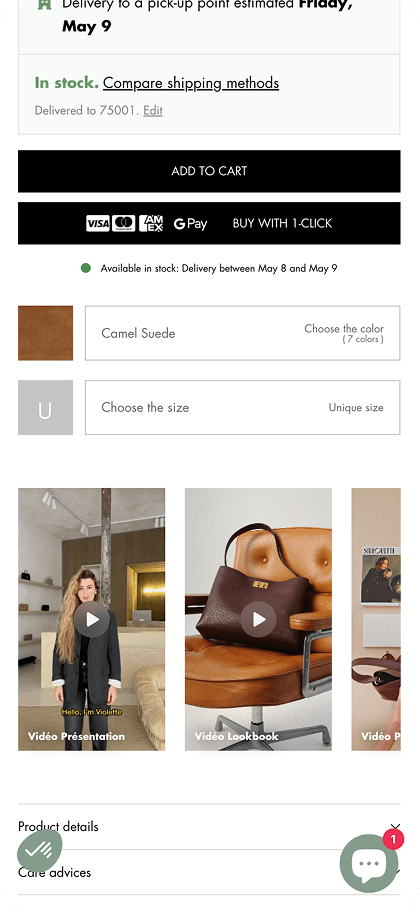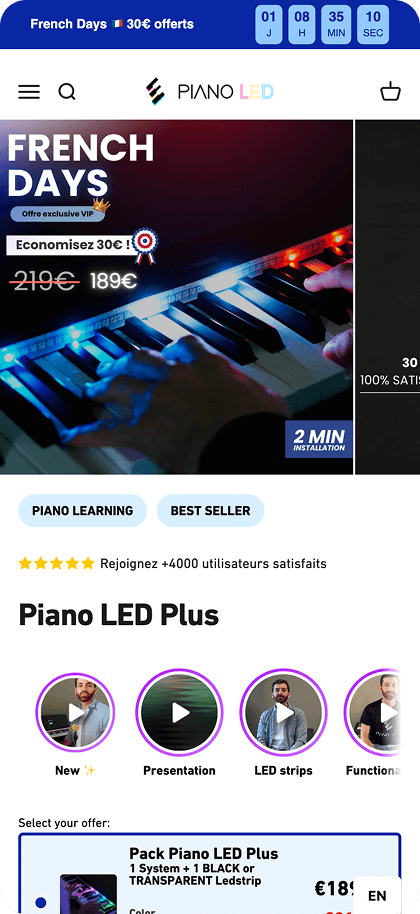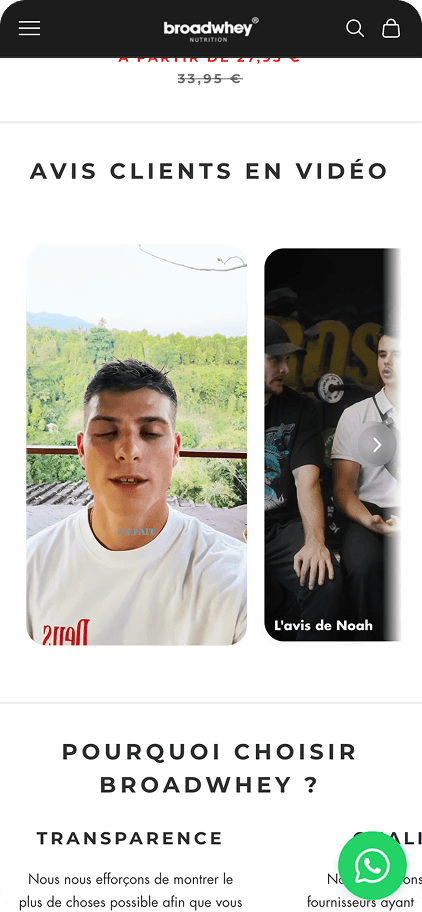
Integrating video into the customer journey is now essential for e-commerce businesses in 2026.
Conversion rates can increase by over 30% through video demonstrations. Choosing the right PrestaShop video module for your store can be a challenging decision.
This comparison presents the main market solutions by examining their performance impact, ease of installation, and return on investment.
#1 - PlayShorts
PlayShorts stands out as a SaaS solution specialized in integrating short content on e-commerce sites. This solution adapts very simply to PrestaShop sites, designed to maximize engagement without slowing down your store. Unlike traditional modules that load resources locally, this solution externalizes all technical complexity and doesn't impact your site speed.
Main features:
Video integration: The application allows you to broadcast your video content in different formats throughout the customer journey.
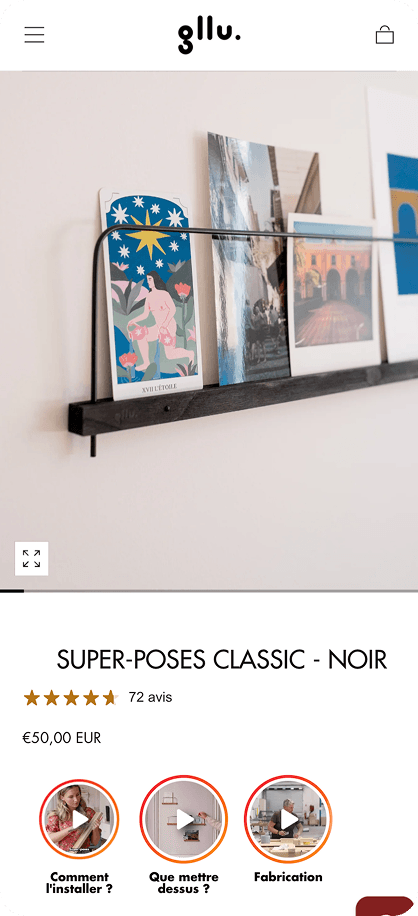
- On your product pages: add videos to your product pages to increase your conversions on Shopify.
- On your homepage: use video carousels to showcase your best-sellers.
- Creating interactive video pop-ups: design interactive pop-ups on your homepage to engage your visitors.
- Creating Email Stories: integrate videos into your email campaigns to energize your newsletters.
- Creating QR Codes: offer an omnichannel video experience in-store, at distributors, or during delivery.
UGC search and content curation:
Finding video content to integrate on your product pages can be complex. The user-generated content (UGC) search function facilitates the collection and display of videos created by your customers or influencers on TikTok and Instagram.
PlayShorts also helps you obtain usage rights for these videos from your customers for free to use them legally.
Multilingual:
Broadcast videos adapted to your store's language to personalize the experience and facilitate your customers' purchases.
Advanced dashboard:
Their dashboard provides you with detailed statistics: number of views, engagement rate, click-through rate (CTR) per video, performance of each video, as well as revenue generated directly by each video widget.
Pricing:
- Freemium model available to test the solution.
- Very competitive monthly subscriptions, offering a significantly superior cost-effective approach to Enterprise solutions on the market.
Pros and cons:
- Pros: Plug-and-play installation, complete preservation of site speed (SEO friendly), intuitive mobile-first interface.
- Cons: Less focused on influencer community management than some specialized UGC platforms.

#2 - Skeepers
Skeepers is a robust platform focused on user-generated video (UGC).
It allows brands to automate the collection and distribution of videos created by their own customers to reassure future buyers.
Main features:
- UGC campaign management: Automation of video review requests from customers after purchase.
- Automated editing: Tools to standardize received videos (intro, outro, brand logo).
- Omnichannel distribution: Publishing videos on product pages, social media, and YouTube.
- Community Management: Interface to manage relationships with consumer creators.
Pricing:
- Quote-based model, generally positioned in a very high range.
- Significant entry cost that contrasts with the more accessible and cost-effective approach of solutions like PlayShorts, whose 1-click integration and external video hosting allow starting without heavy technical investment.
Pros and cons:
- Pros: Excellent for social proof and authenticity, automates large-scale content creation.
- Cons: Technical and strategic implementation often lengthy. Integration may require development resources, unlike the 1-click installation offered by more agile competitors like PlayShorts.
Ideal for: Large companies with substantial marketing budgets wanting to industrialize video customer review collection.

#3 - Firework
Firework is a powerful American platform that brings the Shoppertainment experience to e-commerce sites. It stands out for its livestreaming capabilities and short video format inspired by TikTok.
Main features:
- Livestream Shopping: Broadcasting live events with integrated purchasing.
- Short Videos: Immersive vertical format integrable on the website.
- Simulcast: Simultaneous broadcasting on the site and social media.
Pricing:
- High Enterprise pricing, based on traffic volume and activated features.
Pros and cons:
- Pros: Very high-quality streaming technology, immersive user experience.
- Cons: Complex and expensive solution, often oversized for SMEs. The impact on theme code may require advanced technical integration.
Ideal for: International brands focusing on event-based live shopping.

#4 - Bambuser
Swedish pioneer in Live Video Shopping, Bambuser is the reference for high-end live shopping experiences. The solution is highly valued in the luxury and fashion sector for its real-time interaction features.
Main features:
- One-to-Many: Live broadcasts for a large audience with chat and purchasing.
- One-to-One: Private video personal shopping sessions.
- Detailed statistics: Fine analysis of engagement and sales during lives.
Pricing:
- Premium positioning with high license and setup costs (often > €1000/month).
Pros and cons:
- Pros: Impeccable video stream stability, very advanced interaction features.
- Cons: Prohibitive cost for most PrestaShop merchants. Requires a dedicated team to produce lives.
Ideal for: Luxury or fashion brands offering digital personal shopping service.

Read more: detailed PlayShorts vs Bambuser comparison.
#5 - Flowbox
Flowbox is a Visual Commerce platform that allows retrieving visual content (photos and videos) from social media to display on the e-commerce site. It's a powerful aggregator for showcasing social content.
Main features:
- Social aggregation: Automatic retrieval of Instagram, TikTok posts, etc. via hashtags or mentions.
- Shoppable Galleries: Transforming social posts into shopping galleries.
- Image rights: Managing authorization requests to creators.
Pricing:
- Monthly subscription model, intermediate to high price range.
Pros and cons:
- Pros: Automatically enriches the site with fresh content, strengthens social proof.
- Cons: Less focused on pure product video than on overall social aggregation. Dependence on social media APIs.
Ideal for: Lifestyle brands with a strong active community on Instagram.

Comparison table
To help you choose the PrestaShop video module suited to your needs, here's a synthesis of the technical and financial characteristics of the analyzed tools.
Quick summary: If your priority is technical performance and immediate deployment without developers at competitive prices, PlayShorts is the most efficient option.
For strategies based exclusively on customer reviews, Skeepers remains a reference despite its cost.
Finally, Bambuser specifically addresses high-end Live Shopping needs.
Conclusion
For the vast majority of e-commerce businesses, the goal is to integrate product videos and stories smoothly and economically.
With this in mind, PlayShorts stands out as the most balanced solution.
Its architecture based on external hosting and one-click integration allows benefiting from video power without the usual technical constraints.
It's the recommended tool for those seeking a simple-to-use, performant solution at very competitive prices.
F.A.Q
How to install a video module on PrestaShop?
Most modules install via the back-office module manager by uploading the ZIP file.
Does adding videos slow down my online store?
Yes, if videos are hosted directly on your server or poorly optimized. Using a SaaS solution with external hosting is crucial for maintaining fast loading times and good SEO scores.
Can we integrate YouTube and Vimeo videos?
Yes, it's possible natively or via free modules, but this often includes heavy third-party scripts, unwanted ads, and outbound links that drive traffic away from your store.
What's the difference between a product video and a web story?
A product video is often descriptive and horizontal, placed in the image gallery. A Web Story is a vertical, immersive and short format (Instagram-type), ideal for mobile and for capturing attention instantly, which can be placed in different locations on the product page.
Read more
Comparing platforms? Also check our best Shopify video tools comparison. Regardless of your CMS, the integration principles remain the same.
To get the most out of your video module, learn how to integrate shoppable videos and browse concrete shoppable video examples that boost conversions.
PlayShorts vs Storyly — Comparison with a stories solution for enterprises.